FinePointe fails to complete pruning or importing tasks because the study's SQL database is full
Symptoms
The user will notice that their data set is stuck at pruning or importing.
AND
If the user tries to restart pruning or importing, it fails at the same percentage.
AND
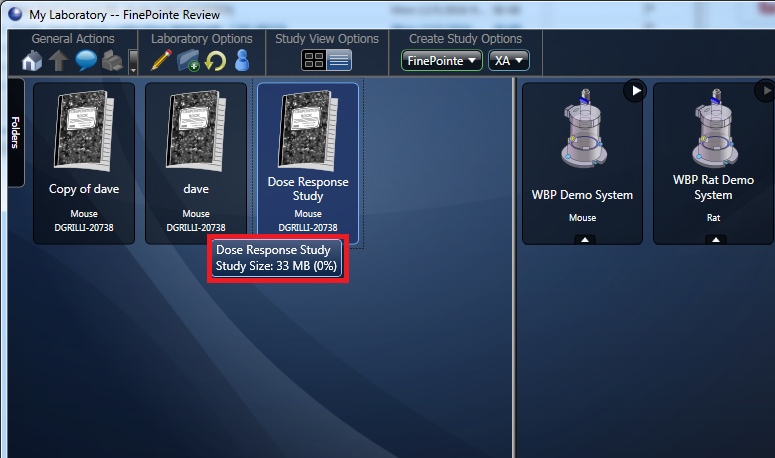
The user's study size has reached 100% (10GB) when hovering the mouse over the study notebook.
Reason
Older versions of FinePointe (released prior to 2015) is packaged with Microsoft SQL Express, which is used to store study data. Each study's data is stored in a separate SQL database. Microsoft SQL Express limits the database size to 10GB. When the database reaches 10GB, FinePointe will be unable to import additional data into the study.
Solution
The latest FinePointe versions come with a newer version of Microsoft SQL Standard which does not have the 10GB database file limit. A FinePointe version upgrade, along with upgrading the SQL databases, is necessary. The FinePointe installation guide has steps on how to upgrade the SQL version and then upgrade the studies within FinePointe. Once the system has been upgraded:
- Open the FinePointe Control Panel software.
- Go to Manage Data.
- Select the task that is stuck, and click Process All.
Comments
0 comments
Please sign in to leave a comment.